Back Market - Buy & Sell tech
- 4.7
- Rating
- 10.00M
- Installs
- Free
- Price

 Analysis by App-foxy
I approached Back Market as a shopping app rather than just another place to browse gadgets. Its focus is refurbished electronics, so the real question is not whether the catalog looks attractive, but whether the app helps you make a careful decision about a used device without turning the process into guesswork. In my experience, it is most useful when you already know what you need, can compare condition and specifications patiently, and are comfortable accepting that refurbished stock changes from one listing to the next.
The app is free, available for everyone, and developed by Back Market. It has built a strong audience on mobile, with over ten million installs and a 4.7 average from around 154 thousand ratings. Those figures suggest that it is not a niche experiment, but popularity should not replace your own inspection of a particular item. A refurbished phone, tablet, laptop, or accessory still needs to be judged on its exact model, condition, storage, compatibility, and seller information.
Where the buying process can become confusing
The first point where I found it easy to hesitate was the difference between choosing a product family and choosing a specific listing. Searching for an iPhone, Galaxy phone, MacBook, or game console may bring up several variations that look similar at first glance. Storage, generation, network compatibility, color, and cosmetic condition can all affect whether the item is actually right for you. I recommend slowing down before adding anything to the basket and reading the listing as if you were checking a second-hand purchase from an individual seller.
You May Also Like

 Pandora - Music & Podcasts
Pandora’s Music Is Easy to Start, but Harder to Recover
Pandora’s strength is its low-effort path from a seed to a station. Its weak spot is how much confidence it asks you to place in connection, setup, and quiet recovery.

 AccuWeather: Weather Radar
AccuWeather Review: A Quick, Clear Forecast for Everyday Decisions
For everyday plans, the best forecast is the one you can understand quickly. AccuWeather makes rain timing, radar, and local conditions easy to act on, with a few trade-offs.

 Hill Climb Racing
Why Hill Climb Racing Still Turns Crashes Into One More Run
A tiny car, a bumpy hill and one more upgrade: Hill Climb Racing keeps resurfacing because its simple chaos makes every near-miss feel personal.

 AliExpress - Shopping App
AliExpress Makes Global Shopping Feel Personal, but Shoppers Bear the Risk
AliExpress turns a global marketplace into a pocket-sized discovery engine. Its reach is useful, its shopping loop compelling, and its trade-offs easy to miss.

 Lords Mobile: Kingdom Wars
Lords Mobile Is a Kingdom-Building Routine, Not a Quick Match
A case-by-case verdict on the building, battles, device demands, and social commitments that make Lords Mobile rewarding for some players and exhausting for others.

 PDF Scanner app - TapScanner
TapScanner Makes Paperwork Easier to Capture, Check, and Share
TapScanner makes scanning with a phone feel less like a rescue operation and more like a dependable step in getting work done. Its capture tools are useful, though not flawless.
More From Our News Desk
View All News


This matters especially when the price looks tempting. A lower price can reflect an older generation, less storage, more visible wear, or a configuration that does not suit your carrier or accessories. The app makes browsing convenient, but convenience can encourage quick decisions. My practical rule is to identify the exact model number or generation first, then compare the available condition options rather than beginning with the cheapest result.
Another possible sticking point is the trade-in route. Selling an old device is a different task from buying a refurbished one. You need to describe the device honestly, remove personal accounts, back up your information, and prepare it for handover. Treat the trade-in estimate as part of a process, not as effortless cash sitting in your phone. If the old device has a damaged display, a weak battery, activation protection, or missing accessories, the final assessment may not match your initial expectation.
The most important habit is to separate “good deal” from “good match.” A refurbished device can be excellent value for one person and a poor choice for another. For example, an older premium phone may suit someone who mainly messages, photographs, and streams, while a newer mid-range model could be better for a buyer who wants longer software support or a larger battery. Back Market gives you a place to compare those possibilities, but the judgment remains yours.
Read the listing before you trust the photograph
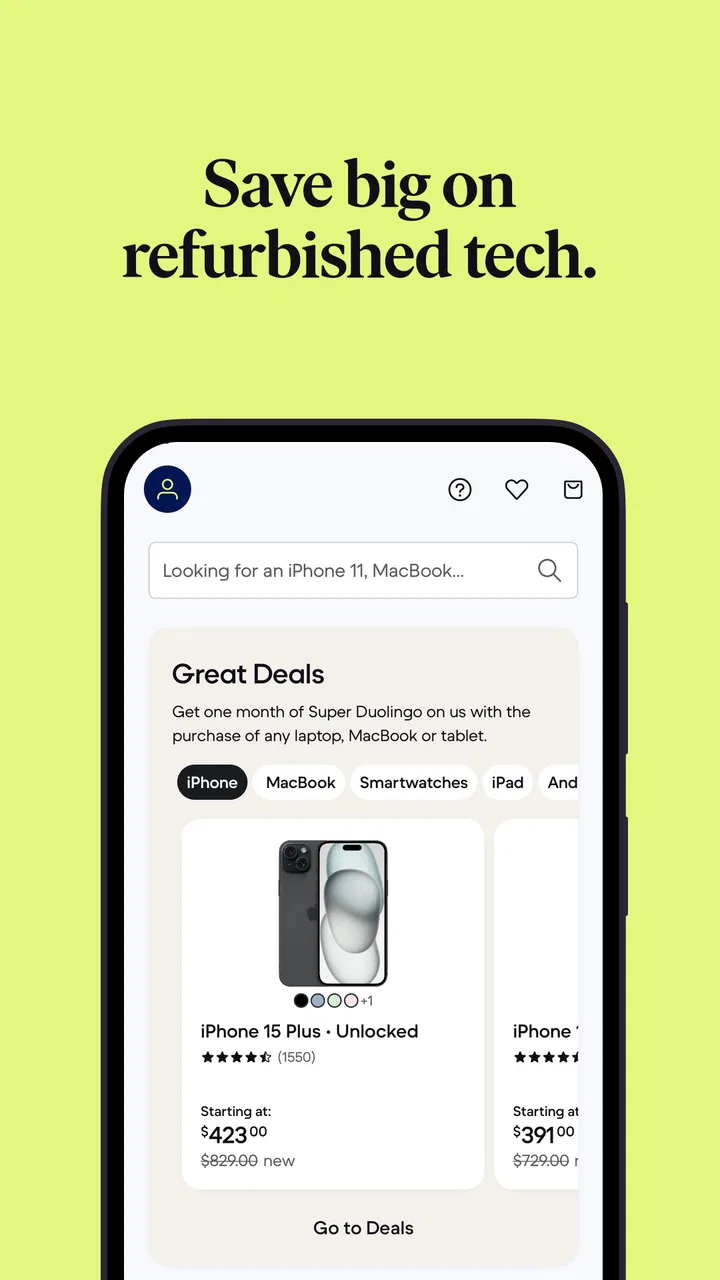
Product images are useful for confirming the general design, but they should not be treated as a promise about the exact cosmetic marks on your unit. Refurbished inventory can vary, and a clean-looking image may represent the model rather than the individual item packed for you. I pay more attention to the written condition grade, technical specifications, included equipment, and any seller details shown within the listing.
A common mistake is to overlook storage. On phones and tablets, storage affects how long the device remains comfortable to use; on laptops, it can determine whether your work files and applications fit without constant cleanup. If two listings appear almost identical, storage and generation may explain the difference more than color does. Checking those fields before comparing totals prevents a surprisingly common buying error.
Compatibility deserves the same care. A phone intended for a particular network arrangement may not be the right choice for every buyer, and an imported device can have differences in connectivity or included accessories. I would not assume that a familiar model name guarantees identical behavior in every market. If you are buying for someone else, confirm their carrier, charging setup, preferred operating system, and essential apps before placing the order.
Setup checks that prevent avoidable problems
The app itself is straightforward to install on supported devices, with a minimum operating system of Android or iOS equivalent to version 9. It was released on June 14, 2021, and the current version is 5.42. I would still begin by updating the phone, making sure there is enough free storage, and checking that the app store account is functioning normally. These simple steps matter because a shopping app can appear broken when the real issue is an outdated operating system, a stalled store update, or a poor connection.
During account setup, use an email address you can access easily and keep your purchase and trade-in messages together. If an order needs attention, searching through several inboxes or using an address you rarely open creates unnecessary delay. I also recommend checking the spelling of delivery details before confirming anything. A shopping app can present a smooth checkout, but an incorrect apartment number or old address is not something the app can fix after the parcel is already moving.
If pages load slowly, I first switch between Wi-Fi and mobile data, then close and reopen the app. If that does not help, I check whether other apps can reach the internet. This is safer than repeatedly tapping the payment button. A delayed screen does not necessarily mean the purchase failed, and duplicate attempts can create confusion about whether an order was submitted. Before trying again, I look for an order confirmation, an account update, or a message in the email address connected to the purchase.
Search results also deserve a quick verification. I enter the model again, apply filters carefully, and then remove them if the results seem unexpectedly narrow. Filters are helpful for reducing a large refurbished catalog, but an accidental condition, color, storage, or price selection can make it appear that the desired device is unavailable. I prefer to begin broad, confirm the model family, and then narrow the results one choice at a time.
Prepare a trade-in as carefully as a purchase
For a trade-in, I would back up photos, contacts, messages, and authentication information before resetting the old device. Sign out of the relevant account, disable device-finding or activation protection where applicable, remove the SIM or memory card, and record the device’s condition for your own reference. These steps are not glamorous, but they protect your data and make it easier to explain what was sent.
Do not describe a device from memory. Inspect the screen under good light, test the buttons and cameras, check charging, and note cracks, dents, or missing parts. If the trade-in flow asks questions about condition, answer based on what you can verify rather than what you hope the device is worth. That approach reduces the chance of disappointment when the item is evaluated.
I would also keep the old device until the new one has been checked and your important information is safely transferred, unless you have a separate reason to send it immediately. A trade-in can be convenient, but it removes your fallback device. For someone who relies on a phone for work, travel, banking, or two-factor authentication, that timing decision is more important than squeezing a few minutes out of the process.
Recovering when a workflow stops halfway
Shopping journeys often involve several stages: finding a model, comparing listings, signing in, checking out, tracking an order, or preparing a trade-in. If one stage stops responding, I avoid restarting the entire process immediately. First I note what has already been completed, then I reopen the relevant screen and check the account or order area. This is particularly useful after a payment screen appears to freeze, because the order may have been accepted even if the confirmation took time to display.
If a saved basket looks empty, I repeat the search rather than assuming the item has vanished permanently. Refurbished inventory can change, and a listing that was visible earlier may no longer be available in the same condition or configuration. I treat the basket as a convenience, not a reservation. That mindset helps prevent frustration when a popular device disappears while I am still comparing alternatives.
When a trade-in workflow is interrupted, I keep the device untouched until I know which information was recorded. I would not erase the phone first and ask questions later. If the app has returned to an earlier step, review the condition answers and device details before continuing. Re-entering information carefully is slower, but it is better than submitting an inaccurate description or losing track of what was promised.
For a delivery concern, I distinguish between an app display problem and a physical delivery problem. If the account view is not refreshing, I check the confirmation messages and try again later on a stable connection. If the package has arrived, I inspect the device before transferring everything from the old one. Check the exterior, power it on, confirm the model and storage, test charging, and verify the functions that matter most to you. A short inspection at the beginning gives you a clearer record of the device’s starting condition.
One useful workflow is to photograph the package and device as you open and test it, without exposing private information unnecessarily. I see this as sensible documentation rather than suspicion. It helps me remember what was included and what the condition looked like on arrival. Keep the packaging and related messages until you are satisfied with the purchase, especially if you are still deciding whether the item suits your needs.
When the app is not the real cause
Not every difficulty belongs to Back Market. A phone that will not connect to a network may have a carrier or compatibility issue. A laptop that feels slow may be limited by its age, storage, background software, or the workload you expect it to handle. A charging problem may come from your cable, adapter, outlet, or case rather than the refurbished device. The app can help you buy the hardware, but it cannot remove the limits of that hardware or your surrounding setup.
This is why I recommend writing down the exact symptom before contacting support or deciding that the purchase is defective. Does the device fail to power on, or does it power on but refuse a particular account? Does the camera fail in every app, or only in one? Does charging stop completely, or does it work with a different cable? Clear observations lead to a more useful next step than saying only that the device is not working.
Network and account problems are especially easy to misread. Before blaming the refurbished phone, confirm that your SIM or eSIM is active, your account credentials are correct, and the device is not still linked to another owner’s account. On a tablet or laptop, check whether the problem is limited to one application. These checks do not excuse a faulty product; they simply prevent a return or support conversation based on the wrong diagnosis.
The same distinction applies to trade-ins. If the value changes after evaluation, the cause may be a difference between the condition description and the physical inspection. That is why honest, detailed answers and personal notes are so useful. If the device was accurately described, you have a clearer basis for reviewing the result and deciding whether the trade-in remains worthwhile.
How it compares with ordinary electronics shopping
Compared with buying new from a manufacturer or conventional electronics retailer, Back Market appeals most to shoppers who want to reduce the cost of premium hardware or give an older device another useful life. The trade-off is that you need to pay more attention to condition and configuration. A new product usually offers a simpler comparison because the item is standardized; refurbished stock asks you to inspect the individual offer more carefully.
Compared with buying directly from a private seller, the app feels more organized for browsing multiple devices and considering a trade-in. A private sale may offer a lower asking price or more room to negotiate, but it can require more effort to verify the seller, test the item, arrange payment, and manage problems afterward. Back Market is the better fit for someone who values a structured marketplace experience over the absolute lowest possible price.
It is less compelling for a buyer who wants a sealed box, the newest release, or complete certainty about cosmetic perfection. It may also be the wrong choice if you need a very specific regional configuration and cannot spend time checking compatibility. In those situations, buying new from the manufacturer or a trusted local retailer can be simpler, even if the upfront cost is higher.
For environmentally conscious shoppers, refurbished purchasing can feel more sensible than replacing every device with a new one, but I would not buy an unsuitable product merely because it is refurbished. The most responsible purchase is the one you can use for a long time. Choosing adequate storage, checking compatibility, and selecting a device that matches your real workload are more meaningful than chasing a bargain that becomes frustrating after a few months.
Who will get the most from it
I think the app is strongest for students, families, budget-conscious professionals, and anyone replacing a broken device without insisting on the latest generation. It is also useful for people who know the specifications they need and are willing to compare several listings. A parent buying a dependable phone for a teenager, for example, can weigh storage, condition, and model age instead of paying new-device pricing for features the teenager may not use.
It can work well for a planned upgrade cycle too. I would first prepare the old phone, make a complete backup, and decide what minimum replacement specifications matter. Then I would browse refurbished options and use the trade-in path only after confirming that the replacement is suitable. This avoids selling the old device first and discovering that the available alternatives do not meet your needs.
I would steer a less patient shopper elsewhere. If you dislike checking model details, cannot tolerate visible cosmetic wear, or need a device immediately for a critical job, a new product with a fixed configuration may be a better experience. The app makes the search easier, but it does not turn refurbished shopping into a zero-decision purchase.
My practical verdict after using it
Back Market is a useful shopping app with a clear purpose: it brings refurbished electronics and device trade-ins into one mobile buying journey. I like it most when I use it as a comparison and preparation tool rather than a shortcut. The strongest results come from checking the exact listing, confirming compatibility, documenting the old device, and testing the replacement before moving all important data across.
The app is free, rated for everyone, and currently listed at version 5.42, with the developer Back Market behind it. Its large user base and 4.7 average rating make it an established option, but those figures should not make you skip the details of a particular listing. Refurbished quality is experienced at the device level, not only at the app level.
My recommendation is straightforward: use it if you want a more structured route to refurbished technology and are prepared to shop carefully. Start with your required model, storage, compatibility, and condition; keep your old device until the replacement passes basic checks; and treat trade-in descriptions as technical information, not casual estimates. If you want the newest sealed product or cannot spend time comparing variations, choose a conventional new-device retailer instead. For everyone else, Back Market can make a second-hand electronics purchase feel considerably more manageable, provided you remain an active and careful buyer.
FAQs for Back Market - Buy & Sell tech
01What is Back Market, and how does it work?
Back Market is an online marketplace specializing in refurbished electronics. It connects consumers with certified refurbishers who restore used tech products to a like-new condition. The platform offers a wide range of devices, including smartphones, laptops, and tablets, at competitive prices, providing an eco-friendly alternative to buying new electronics.
02Is buying from Back Market safe and reliable?
Yes, Back Market is a safe and reliable platform. All refurbished products undergo rigorous quality checks and are certified by professional refurbishers. Additionally, Back Market offers a minimum one-year warranty on all products, ensuring peace of mind for customers. The platform also has a responsive customer service team to address any concerns.
03What is the return policy for purchases on Back Market?
Back Market offers a 30-day return policy for all purchases. If you're not satisfied with your product, you can return it within this period for a full refund. The process is straightforward, and customer support is available to assist you with any issues or questions regarding returns and exchanges.
04How does Back Market ensure the quality of its products?
Back Market partners with certified refurbishers who carefully restore devices to ensure they meet high-quality standards. Each product is thoroughly tested for functionality, cleaned, and repaired if necessary. The platform provides detailed product descriptions, including the condition of each item, giving buyers confidence in their purchase.
05Are there any additional costs or fees when purchasing from Back Market?
When purchasing from Back Market, the price displayed includes all associated costs. There are no hidden fees, and shipping costs are transparently shown at checkout. Occasionally, there may be promotional discounts or offers, providing even more value to the purchase. Always check the final price and shipping details before confirming your order.
Pros
- Wide selection of refurbished tech.
- Affordable prices on popular gadgets.
- User-friendly interface for easy browsing.
- Secure payment options available.
- Eco-friendly focus on sustainability.
Cons
- Limited warranty on some products.
- Occasional delays in shipping.
- Condition of items can vary.
- Returns process can be slow.
- No physical store locations.

Back Market - Buy & Sell tech
Gallery